
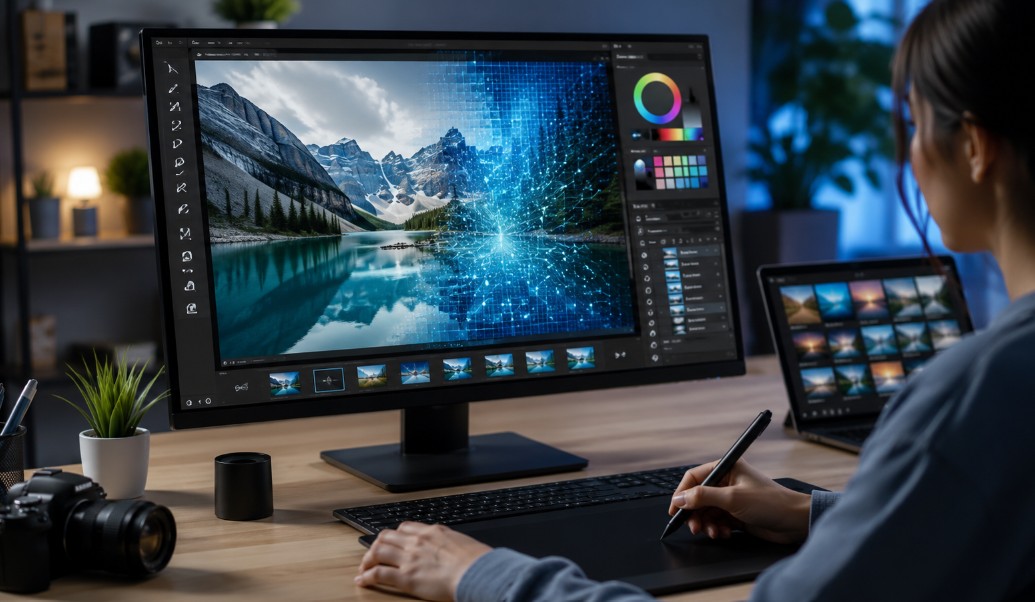
What UK Businesses Need to Know Before Trying AI Photo Editors?
Every UK small business owner has been there: you need a decent product photo, a clean team headshot for the website, or a polished image for a social post, and the photo you actually have is a bit dark, badly cropped, or shot on a phone in a rush between customers.
Hiring a photographer for every one of these small fixes was never realistic for most businesses, which is exactly why AI photo editing tools have picked up so much traction over the past couple of years.
Why AI Photo Editing Has Become a Practical Business Tool?
The appeal isn’t novelty — it’s cost and speed. A proper product photoshoot or a professional retouching job can easily run into the hundreds of pounds and take days to schedule and turn around. For a business posting regularly on social media or updating an online shop, that timeline simply doesn’t work.

An AI photo editor solves a narrower but very common version of this problem: taking a photo you already have and fixing the things that make it look unprofessional — poor lighting, a cluttered background, low sharpness — without sending it off to an editor and waiting for a turnaround.
Pollo AI’s tool handles this directly, letting a business owner clean up a product shot or team photo in minutes rather than booking it in as a job for someone else. For businesses running frequent promotions or seasonal stock updates, that speed matters more than most owners initially expect.
Where This Actually Saves UK Businesses Money and Time?
Consider the kind of photo needs a typical small UK business runs into month to month: a product photo for a new online listing, a banner image for a seasonal sale, a refreshed team photo for the website’s About page, or a cleaned-up image for a local directory listing or Google Business Profile.
None of these are big-budget projects individually, but they add up, and most businesses either skip them entirely or end up using noticeably rough, unedited photos because arranging proper editing for each one isn’t worth the hassle.
Handling this in-house with an AI tool changes that calculation.
A business can keep its online presence looking consistently professional — clean product shots, decent lighting across the board, backgrounds that don’t distract from what’s actually being sold — without treating every single image as its own mini-project requiring outside help.
Matching the Right Tool to the Right Job
Not every photo task is the same, and it’s worth knowing that different tools are built for different jobs. A full AI photo editor is built for more involved fixes — background changes, lighting correction, sharpening detail.
For quick, everyday touch-ups — cropping, simple filters, fast adjustments before posting something to social media — a lighter tool often does the job faster.

LightX is a well-known option for this kind of quick, no-fuss editing, and Pollo AI connects directly into it, meaning a business can jump between a fuller editing tool and a fast, simple one depending on what a given photo actually needs, rather than using one heavyweight tool for every task including the ones that only need thirty seconds of work.
For a busy business owner, LightX is the better choice when speed matters more than depth of editing — a quick Instagram post versus a hero image for the homepage call for genuinely different levels of effort.
Building This Into How a Small Business Actually Operates
The businesses that get the most value from these tools tend to build a small, repeatable habit around them rather than treating photo editing as an occasional scramble.
That usually means setting aside a short block of time — even just twenty minutes — every week or two to clean up recent product shots, refresh a seasonal banner, or tidy up whatever photos were taken during the last event or delivery.
It also helps to keep a simple folder of source photos on hand — the same shots already used for invoicing, stock records, or supplier communication work perfectly well as a starting point — so there’s always something ready to edit rather than needing a fresh photo session for every small marketing need.
Getting Started
If your business has been getting by on rough, unedited photos, start with one image you already use regularly — a product shot on your website or a photo on your Google Business Profile — and run it through a quick edit.
Compare it side by side with the original and see whether it actually looks more professional, rather than just different.
For most UK small businesses, the value here isn’t a dramatic visual overhaul. It’s the ability to keep a consistently tidy, professional appearance across every photo a customer sees — without a photography budget that most small operations were never going to have in the first place.
Author Profile

- Blogger by Passion | Contributor to many Business and Marketing Blogs in the United Kingdom | Fascinated with SEO and digital marketing and latest tech innovations |
Latest entries
 TechnologyOctober 20, 2026How Integrated Fraud Prevention Engines Protect Digital Platforms from Heavy Losses?
 Online BusinessOctober 17, 2026When Digital Operations Grow, IT Support Must Keep Pace?
 Search Engine OptimizationOctober 15, 2026What Google’s Latest Spam Update Means for iGaming Affiliates?
 Search Engine OptimizationSeptember 16, 2026AI Writing Tools & SEO in 2026: Trends, Risks, and the Case for Your Own