
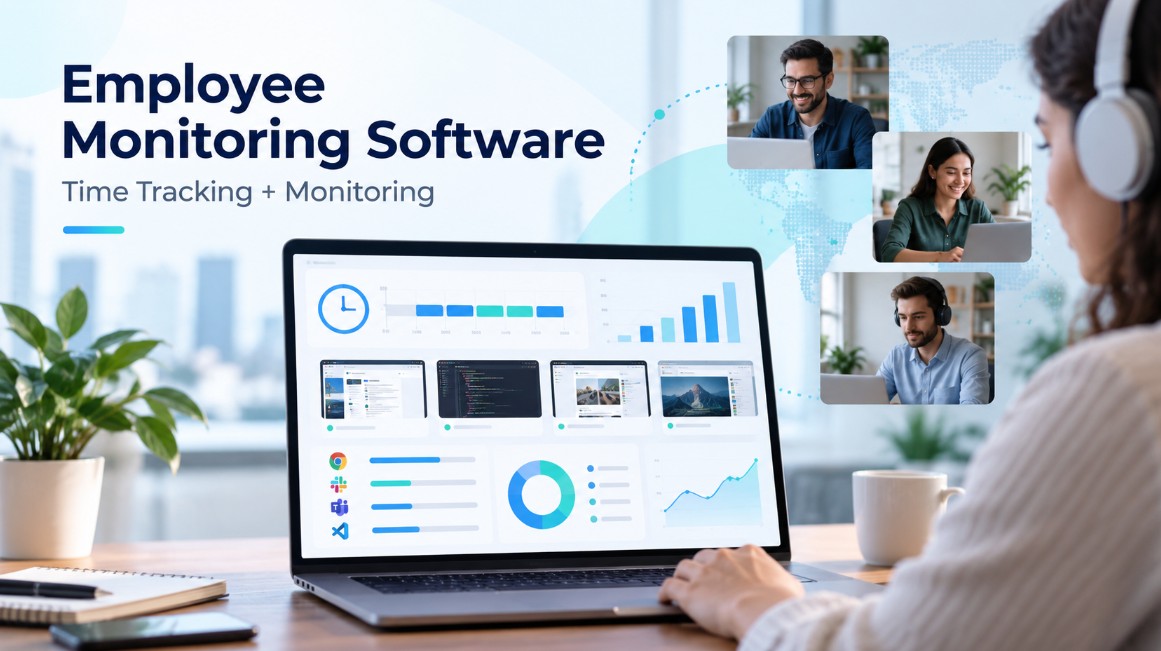
Best Employee Monitoring Software That Combines Time Tracking + Monitoring

Knowing that an employee logged eight hours does not necessarily tell a manager how those eight hours were used.
For remote businesses in particular, a basic timesheet may leave several unanswered questions. Which project received most of the employee’s attention? Which applications were used? How much inactive time occurred? Were the recorded hours connected to billable work?
That is where employee monitoring platforms with built-in time tracking become useful.
Rather than relying on separate systems for timesheets, screenshots, productivity data and project management, businesses can use one platform to bring these records together.
Depending on the software, managers may be able to review working hours, application and website usage, screenshots, activity levels, idle periods, project data and employee attendance from a central dashboard.
This can be particularly valuable for remote businesses, agencies, outsourcing companies, BPO teams and organisations working extensively with contractors.
However, employee monitoring tools vary considerably. Some are primarily time trackers with monitoring features added on, while others focus more heavily on workforce analytics or productivity visibility.
Below, we look at six options worth considering.
Quick Answer
Apploye is our overall choice for businesses looking for remote employee monitoring software with integrated time tracking. It combines working-hour tracking with screenshots, application and website monitoring, activity analysis, idle-time visibility and project reporting.
Its Starter plan is available free for teams of up to 10 users. The Elite package starts from $4.50 per user per month with annual billing, while higher tiers provide expanded screenshot limits, advanced monitoring capabilities, API access and enterprise-level functionality.
Other notable options include Hubstaff, Time Doctor, DeskTime, Insightful and Monitask. The right choice depends on whether the business prioritises project time tracking, employee productivity data, workforce analytics or straightforward monitoring.
What Should You Look for in Employee Monitoring Software?
The cheapest employee monitoring tool will not automatically be the best choice.
Businesses should first decide exactly what they need to understand about employee working time and then compare platforms against those requirements.
Check How Employees Record Their Time
Some teams prefer employees to start and stop a timer manually, while others benefit from more automated tracking.
Also consider where employees work. Desktop applications, mobile support and browser-based tracking may all matter for distributed teams.
Decide Which Monitoring Features Matter
Employee monitoring can include several different forms of data, including:
- Screenshots
- Website history
- Application usage
- Idle periods
- Keyboard and mouse activity levels
- Productivity reports
- Real-time employee status
More monitoring is not necessarily better. The objective should be to collect information that helps the business manage work effectively.
Connect Hours to Projects and Tasks
Project-level tracking is particularly useful for agencies and outsourced service businesses.
Instead of simply seeing that someone worked for seven hours, managers can determine how those hours were distributed between clients, projects or individual tasks.
That can also improve billing and profitability analysis.
Review Screenshot Settings
Screenshots provide additional context, but different businesses require different levels of visibility.
Check whether the software allows administrators to determine how frequently screenshots are captured and whether monitoring can be adjusted for different users or projects.
Avoid Using Activity Scores as a Performance Score
Keyboard and mouse activity can provide useful context, but it should not be treated as a complete measure of productivity.
An employee could show relatively little keyboard activity while participating in a meeting, reviewing documents, researching, planning a project or carrying out other valuable work.
Monitoring information works best when considered alongside actual outcomes.
Consider Payroll and Invoicing Features
Businesses that pay people according to logged hours may benefit from payroll features linked directly to timesheets.
Similarly, agencies can save administrative work when billable hours can be converted into client invoices without transferring the data manually.
Compare the Full Cost
The headline monthly price does not always tell the full story.
Features such as advanced reporting, frequent screenshots, screen recording, integrations or analytics may only be available through more expensive subscriptions or additional modules.
Compare the package you would actually need rather than simply choosing the lowest advertised tier.
Consider Employee Privacy
Businesses should also establish exactly what the software records and how employee data is handled.
Monitoring policies should be appropriate for the organisation and the jurisdictions in which employees work.
6 Best Employee Monitoring and Time Tracking Tools
The following platforms all combine some form of time tracking with employee or workforce monitoring, but they are designed around slightly different business requirements.
1. Apploye: Best Overall for Monitoring + Time Tracking
Apploye stands out because employee monitoring and time tracking operate as parts of the same workflow.
Employees can record their working hours against projects and tasks, while managers can examine additional information surrounding those hours.
This can include screenshots, applications used, websites visited, idle periods, employee activity levels and current tracking status.
The platform then connects those records with timesheets, attendance information, projects, payroll, client invoicing and reporting.
That structure makes it particularly relevant to businesses that need to understand not only how long someone worked, but also where that working time went.
For example, an agency employee might record eight hours against a client account. Instead of viewing only an eight-hour timesheet entry, the manager can examine the associated project, tasks, activity patterns, applications, websites and available screenshots.
That provides considerably more context around recorded hours.
Apploye’s activity measurement is also worth distinguishing from traditional keylogging. The system can use mouse and keyboard interaction to calculate activity levels, but it does not record the individual characters being typed.
Another attraction for smaller companies is the Starter tier, which supports up to 10 users without a recurring subscription fee.
Who Is Apploye Best For?
Apploye is particularly suitable for:
- Remote teams
- Digital and service agencies
- BPO companies
- Outsourcing businesses
- Contractor-based teams
- Distributed organisations
- Companies billing clients by working hours
Main Apploye Features
Time Tracking: Record employee hours against work, tasks and projects.
Screenshot Monitoring: Capture screenshots while employees are tracking work.
Application and Website Tracking: Understand which software and websites are being used during monitored sessions.
Activity Analytics: Review active and inactive periods based on employee interaction.
Real-Time Visibility: See which employees are currently recording time.
Productivity Monitoring: Examine working patterns and productivity-related information.
Projects and Tasks: Associate working hours with specific assignments.
Timesheets: Review employee time records and approvals.
Payroll: Use recorded hours to support employee payments.
Client Invoicing: Convert billable working time into invoices.
Reports: Analyse and export working-time and activity information.
Screen Recording: More advanced packages can provide continuous screen-recording functionality.
Integrations: Connect employee and time information with other business workflows.
Apploye Pricing
Starter: Free for up to 10 users. It provides core time tracking, basic screenshots, activity information, restricted app and URL tracking, timesheets, attendance features and project tracking.
Elite: From $4.50 per user/month with annual billing. Quarterly billing is $6 per user/month and monthly billing is $7. It expands monitoring capabilities and adds features including reporting, payroll, invoicing and integrations.
Power: $8 per user/month with annual billing. This tier includes more intensive monitoring capabilities, up to 60 screenshots an hour, instant screenshots and API access.
Enterprise: Individually priced. Enterprise functionality can include SSO, account provisioning, BAA support, increased API limits, deployment options, onboarding assistance and dedicated support.
Where Apploye Performs Well?
- Combines monitoring and time tracking within one platform.
- Free tier accommodates teams of up to 10 people.
- Links screenshots, applications, URLs and activity information with working hours.
- Projects and tasks provide context for monitored time.
- Includes payroll and client invoicing functionality.
- Paid plans begin at a relatively accessible price point.
- Well suited to agencies, remote teams and outsourcing companies.
- Businesses can move into more detailed monitoring as requirements grow.
Possible Limitations
Some sophisticated monitoring capabilities are reserved for higher subscriptions or additional functionality.
Businesses should also avoid interpreting an activity percentage without considering the quality and output of the work itself.
2. Hubstaff: Best for Workforce Management and Project Time
Hubstaff is primarily known for time tracking but combines that core functionality with several workforce-management and employee-monitoring capabilities.
Businesses can connect recorded hours with projects, tasks and clients while also accessing features such as screenshots, application use, website activity and employee activity measurements.
That combination can work particularly well when the central requirement is accurate time data for project management, client work or workforce administration.
Hubstaff also supports different devices and operating systems, making it relevant to teams whose employees do not all work from the same setup.
Companies already managing project hours and client billing through time records may therefore find Hubstaff a natural fit.
3. Time Doctor: Best for Detailed Productivity Insights
Time Doctor places considerable emphasis on understanding how a remote workforce spends its working day.
Alongside standard time tracking, it can provide screenshots, application and website data, project and task tracking, productivity reports, attendance information, workforce analytics and payroll-related features.
Its strength is the amount of information businesses can use to analyse working patterns.
Rather than simply recording the number of hours worked, managers can investigate how time is distributed across different projects and activities.
More sophisticated monitoring and reporting functionality is available through higher subscription levels.
As a result, Time Doctor may appeal most to organisations where productivity analysis is a larger priority than straightforward timesheet management.
4. DeskTime: Best for Automatic Productivity Tracking
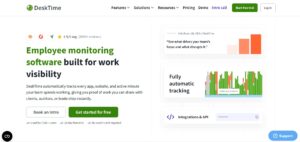
DeskTime differs somewhat from traditional timer-first platforms because much of its tracking process can operate automatically.
The software can record applications and websites used during working periods and use that information to categorise working time and productivity.
This approach can reduce the need for employees to manually document every activity.
Additional capabilities include project tracking, idle-time measurement, productivity calculations, work scheduling, attendance management, reports and screenshots on eligible subscriptions.
DeskTime may therefore suit companies that want a relatively automated picture of how working hours are being distributed.
5. Insightful: Best for Workforce Analytics
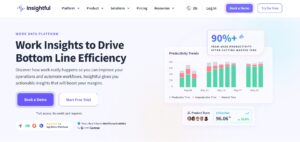
Insightful focuses more heavily on workforce intelligence and organisational working patterns.
The platform can combine screenshots and employee activity information with application usage, website usage, active versus idle time, real-time visibility, engagement information and productive-time analysis.
This makes it particularly useful for companies that want to identify patterns across departments or larger groups rather than simply review individual timesheets.
Managers can use the information to investigate how teams allocate their working hours and potentially identify recurring productivity patterns.
Its Workforce Analytics package starts from $8 per seat/month with annual billing.
More extensive analytics and workflow functionality is available through higher subscriptions, while capabilities such as greater screenshot frequency and screen recording may be offered separately.
6. Monitask: Best for Straightforward Employee Monitoring
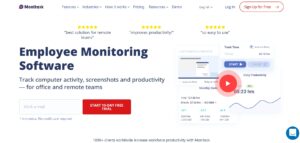
Not every company requires enterprise-level workforce analytics.
Monitask takes a relatively straightforward approach by bringing time tracking together with screenshots, employee activity information, projects and reports.
That can make it suitable for smaller distributed teams that simply want answers to two basic questions:
How long did the employee work?
and
What activity took place during those hours?
More advanced Monitask packages expand the platform with functionality such as application and website monitoring, integrations, team-management tools, task management and employee scorecards.
For businesses that prefer a simpler monitoring environment, this can make Monitask easier to manage than more extensive workforce-intelligence systems.
Which Employee Monitoring Software Should You Choose?
There is no single platform that will suit every organisation.
The best choice depends largely on what the company wants to achieve with the information it collects.
For businesses wanting employee monitoring and time tracking closely integrated, Apploye is our leading option.
Employees can log their hours against projects and tasks, while managers can review related screenshots, website and application activity, idle periods and activity information. Those records can then feed into timesheets, payroll, reporting and client invoicing.
This combination can be especially useful for agencies.
Suppose a team member records eight hours for a client. A conventional timesheet tells the manager that eight hours were logged. Apploye can add the surrounding project information, tasks, apps, websites, activity data and screenshots, providing more context for those hours.
Its pricing also makes it accessible to smaller operations. Teams of up to 10 users can start with the free Starter package, while Elite begins at $4.50 per user/month with annual billing.
Hubstaff is a strong alternative for organisations where project time tracking and broader workforce management are more important.
Time Doctor is worth considering when detailed productivity reporting and workforce visibility are the priority.
DeskTime works well for businesses preferring automatic tracking.
Insightful is better aligned with organisations looking for broader workforce analytics.
Monitask offers a simpler combination of time tracking and monitoring for smaller teams.
For agencies or distributed organisations wanting time tracking, projects, screenshots, application and URL usage, activity information, payroll and client invoicing within the same ecosystem, Apploye provides a particularly comprehensive combination.
Final Thoughts
Employee monitoring software should provide useful context about work rather than simply collect as much employee data as possible.
For remote and distributed businesses, combining monitoring with time tracking can make that information much easier to interpret. Managers can connect recorded hours with projects, applications, websites, screenshots, activity patterns and other relevant work data rather than reviewing each data source separately.
Among the platforms compared here, Apploye provides one of the strongest combinations for organisations wanting time tracking and employee monitoring within one system.
Its feature set covers time tracking, projects, tasks, screenshots, application and website monitoring, activity analytics, timesheets, reports, payroll and client invoicing. The free Starter package also makes the platform accessible to businesses with up to 10 users before they need to move onto a paid subscription.
Hubstaff remains a strong option for workforce and project-time management, while Time Doctor offers deeper productivity visibility. DeskTime, Insightful and Monitask each serve slightly different monitoring requirements.
Ultimately, the right platform is the one that gives managers enough context to understand working time without introducing unnecessary complexity into the way their teams operate.
Frequently Asked Questions
Why Use Employee Monitoring and Time Tracking Together?
Time tracking establishes how many hours were recorded, while monitoring can provide additional context about how those hours were used. Keeping both functions within one platform can also reduce administrative work.
Which Employee Monitoring Tools Include Time Tracking?
Apploye, Hubstaff, Time Doctor, DeskTime, Insightful and Monitask all provide some combination of monitoring and employee time tracking. Their main differences are the depth of monitoring, workforce analytics, productivity reporting and project-management functionality.
Can Apploye Track Employee Working Hours Automatically?
Yes. Apploye provides automatic time-tracking capabilities through its desktop and mobile applications and also supports manual time entries and timesheets.
Does Apploye Capture Employee Screenshots?
Yes. Screenshots can be captured while employees are tracking time. Screenshot limits depend on the subscription, with Elite supporting up to 18 screenshots per hour and Power supporting up to 60 per hour.
Can Apploye Track Apps and Websites?
Yes. Apploye can record application and website usage during tracked working periods. The Starter package provides limited app and URL monitoring, while paid subscriptions expand these capabilities.
Is Apploye a Keylogger?
No. Its activity measurement can use keyboard and mouse interaction to calculate activity levels, but it does not record the actual characters an employee types.
Author Profile

- Blogger by Passion | Contributor to many Business and Marketing Blogs in the United Kingdom | Fascinated with SEO and digital marketing and latest tech innovations |
Latest entries
 TechnologyOctober 6, 2026Best Employee Monitoring Software That Combines Time Tracking + Monitoring
 Search Engine OptimizationSeptember 16, 2026AI Writing Tools & SEO in 2026: Trends, Risks, and the Case for Your Own
 TechnologySeptember 1, 202621 Best QR Code Generators Reviewed & Ranked by Features & Pricing
 Digital MarketingAugust 29, 2026How to Start a Profitable Digital Marketing Business in 2026?