
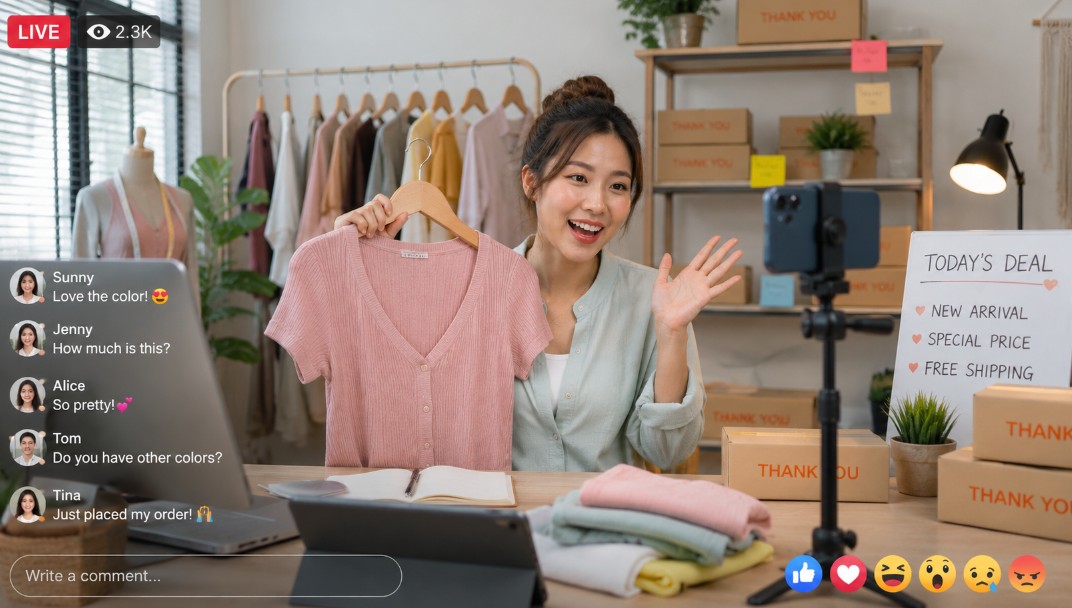
What Are the Easiest Live Streaming Tools for Beginners?

Live streaming does have a reputation for being difficult or ‘hard’ to set up.
Not only does it require a solid set up in terms of a webcam, microphone and processing power, but it also depends on using software to set the live stream up.
This outlook has changed quite a bit in the last few years – there are now beginner-friendly platforms that handle every technical decision for you, run in the cloud or in a browser tab, and let someone with zero streaming experience be live within ten minutes of signing up.
The challenge for beginners isn’t capability anymore – it’s picking the right tool to start with.
This is a breakdown of the options that genuinely deserve to be called beginner-friendly, plus some notes on what to look for and what to avoid in your first few streams.
What “Beginner-friendly” Really Means in Live Streaming?
Most platforms claim to be easy to use, but a lot of them aren’t, once you actually try to use them.
When it comes to being ‘beginner-friendly’, these are the things to look out for?
- No installation or local hardware dependency. The last thing any beginner needs is a live stream that depends on their system to stay live. A beginner-friendly option should run 24/7 in the cloud.
- Sensible defaults. The best technical settings should be implemented by default, and be easy to adjust as needed.
- Quick connection to streaming destinations. It should be easy to connect your stream to other platforms like Facebook and YouTube.
- A drag-and-drop or browser-based interface. It should be as easy as possible to build your stream interface.
- Room to grow. The platform should be easy now, but not so limited that you outgrow it the moment you want to do something slightly more ambitious.
One pitfall is using a tool that is amazing for a beginner, but doesn’t include any tools or settings to help you make the jump from beginner to more advanced.
LiveReacting
LiveReacting is one of the few platforms where the basic case is genuinely as simple as the marketing implies, while the platform itself scales well beyond beginner use without forcing you to migrate later.
Getting started involves three steps: connect your streaming destination (YouTube, Facebook, Twitch, X, or several at once), upload a video to broadcast or activate your camera, and hit go live.
The whole stream runs on LiveReacting’s cloud servers, which means there’s no software to install, no settings to configure, and no machine that needs to stay on. If your laptop dies during a broadcast, the stream keeps going.
Sensible defaults are baked in throughout. The platform automatically encodes whatever file you upload – including .mov files and 4K video that often cause issues elsewhere – without asking you to know what encoding means. Multi-streaming to several platforms at once is one toggle, not a separate configuration.
Where LiveReacting separates from the other beginner-friendly tools is the interactive layer. Live polls, on-screen countdowns, giveaways pulled from chat comments, and real-time displays of viewer messages can all be added to a stream with a few clicks.
None of it requires custom code or third-party plugins. For a beginner, this matters because passive streams almost never grow – viewers don’t engage unless something in the broadcast prompts them to.
Having engagement tools built in from day one means you don’t have to learn another platform the moment you want a poll on screen.
LiveReacting is used by brands including Booking.com, NIVEA, IMAX and McDonald’s, which speaks to the upper end of what’s possible. But the same platform handles a first-ever stream just as cleanly, which is the point.
StreamYard
StreamYard is the other genuinely beginner-friendly option, and it’s worth knowing about because it does one specific thing very well: hosted, interview-style broadcasts.
The interface runs entirely in a browser. Bringing guests onto a stream is as simple as sending them a link – no software for them to install, no account to create. On-screen comment display works well for Q&A formats, and the visual setup looks clean out of the box.
The trade-off is that StreamYard is built around the talking-head format. If you want to broadcast pre-recorded video, run polls, host giveaways, or do anything beyond a host-and-guest discussion, you’ll quickly hit the ceiling.
For a first stream that’s specifically a conversation, it’s a strong starting point. For most other beginner use cases, it’s narrower than it looks.
OBS Studio (and why beginners often pick it incorrectly)
OBS comes up in every beginner guide because it’s free and widely used. Both are true. What’s also true is that OBS is the least beginner-friendly tool on this list, and recommending it to someone new to streaming sets them up for a frustrating first experience.
OBS runs locally on your machine, which means your stream’s reliability is tied to your hardware, your internet, and your operating system.
It expects you to configure scenes, sources, audio routing, and encoding settings yourself. The interface is built for technical users who want full control, not for beginners who want to be live in ten minutes.
There’s a place for OBS – experienced streamers who want granular control swear by it. But it isn’t where a first-time streamer should start.
Tips for Your First Stream
Using the right live streaming tool will help you avoid most of the common beginner mistakes—here are a few extra tips to help you make your first stream a success:
- Test before you go live. Even if you are fully confident in the tool you have chose, always make sure to test privately first (most allow this) before you go live, to iron out any issues or hiccups.
- Start simple. The simple truth is your first stream doesn’t need to be over the top or special – start simple, and add elements as you grow.
- Plan an interactive moment. Even a single “drop a yes or no in chat” question will dramatically lift engagement compared to a passive monologue. Streams with activity in chat get pushed further by every algorithm that matters.
- Stream long enough to be discoverable. Most platforms favor streams over thirty minutes. A ten-minute test broadcast is fine for testing; a real stream should give the algorithm time to work.
Wrapping It Up
For genuine beginners, the easiest live streaming tools are the ones that remove technical decisions, run in the cloud, and don’t punish you for not being a video engineer.
LiveReacting fits all three criteria and adds an interactive layer that gives a beginner stream the best chance of growing into something more. StreamYard is a strong second, specifically for hosted conversations. OBS is worth knowing exists, but isn’t where to start.
The right first tool isn’t the one that does the most. It’s the one that lets you focus on the broadcast itself rather than the configuration around it.
Author Profile

- Blogger by Passion | Contributor to many Business and Marketing Blogs in the United Kingdom | Fascinated with SEO and digital marketing and latest tech innovations |
Latest entries
 TechnologyOctober 20, 2026How Integrated Fraud Prevention Engines Protect Digital Platforms from Heavy Losses?
 Online BusinessOctober 17, 2026When Digital Operations Grow, IT Support Must Keep Pace?
 Search Engine OptimizationOctober 15, 2026What Google’s Latest Spam Update Means for iGaming Affiliates?
 Search Engine OptimizationSeptember 16, 2026AI Writing Tools & SEO in 2026: Trends, Risks, and the Case for Your Own